A look inside
Screenshots
from the game.
Two working environments for the same research campaign. The TUI is keyboard-first; the GUI puts maps and panels alongside the command console. Select an image for a closer look.
>_ Terminal
A terminal for Linux users.
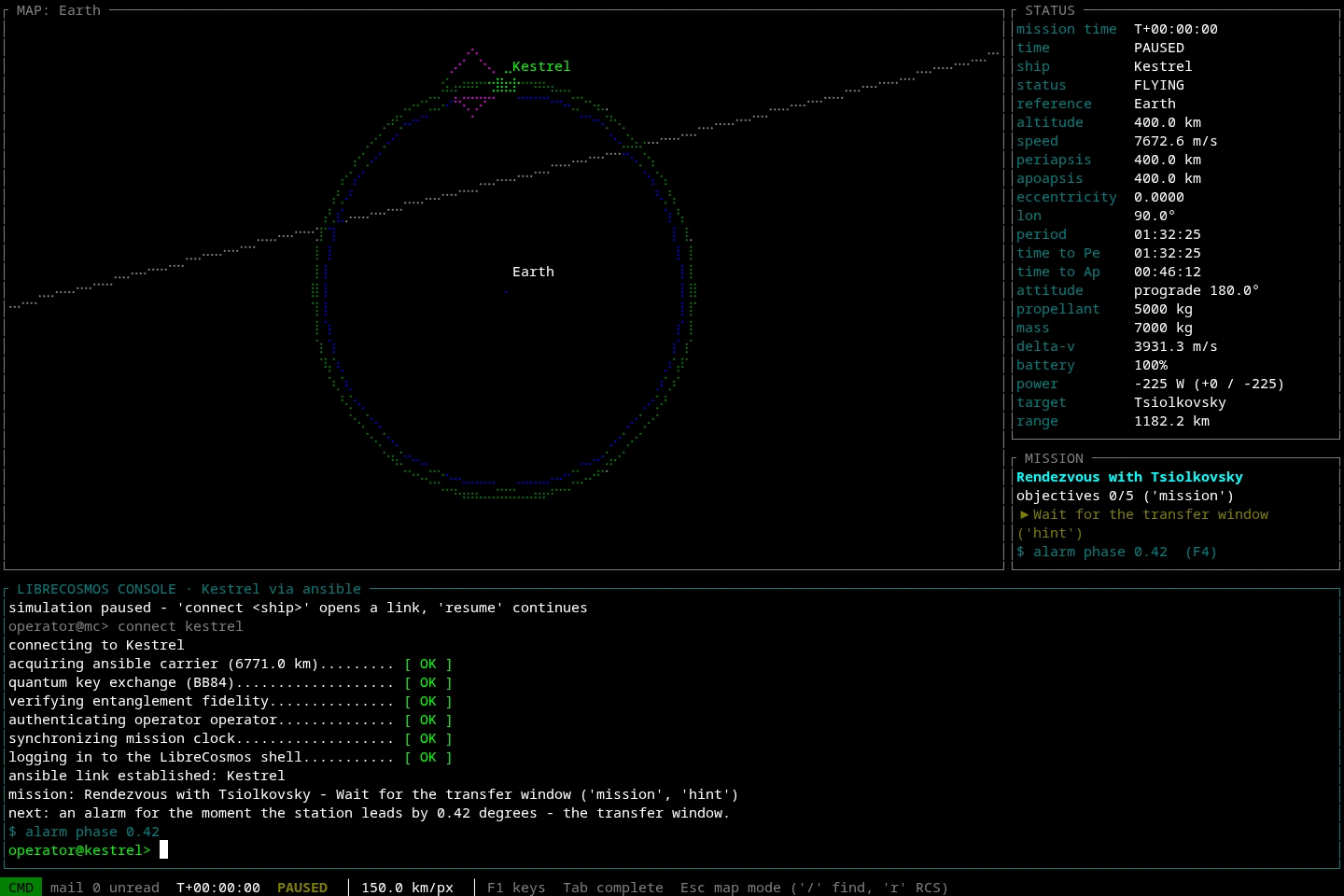
Orbital map and command console.
A braille map gives your flight a shape. Telemetry, alarms and the command prompt keep you in control as you approach the station.
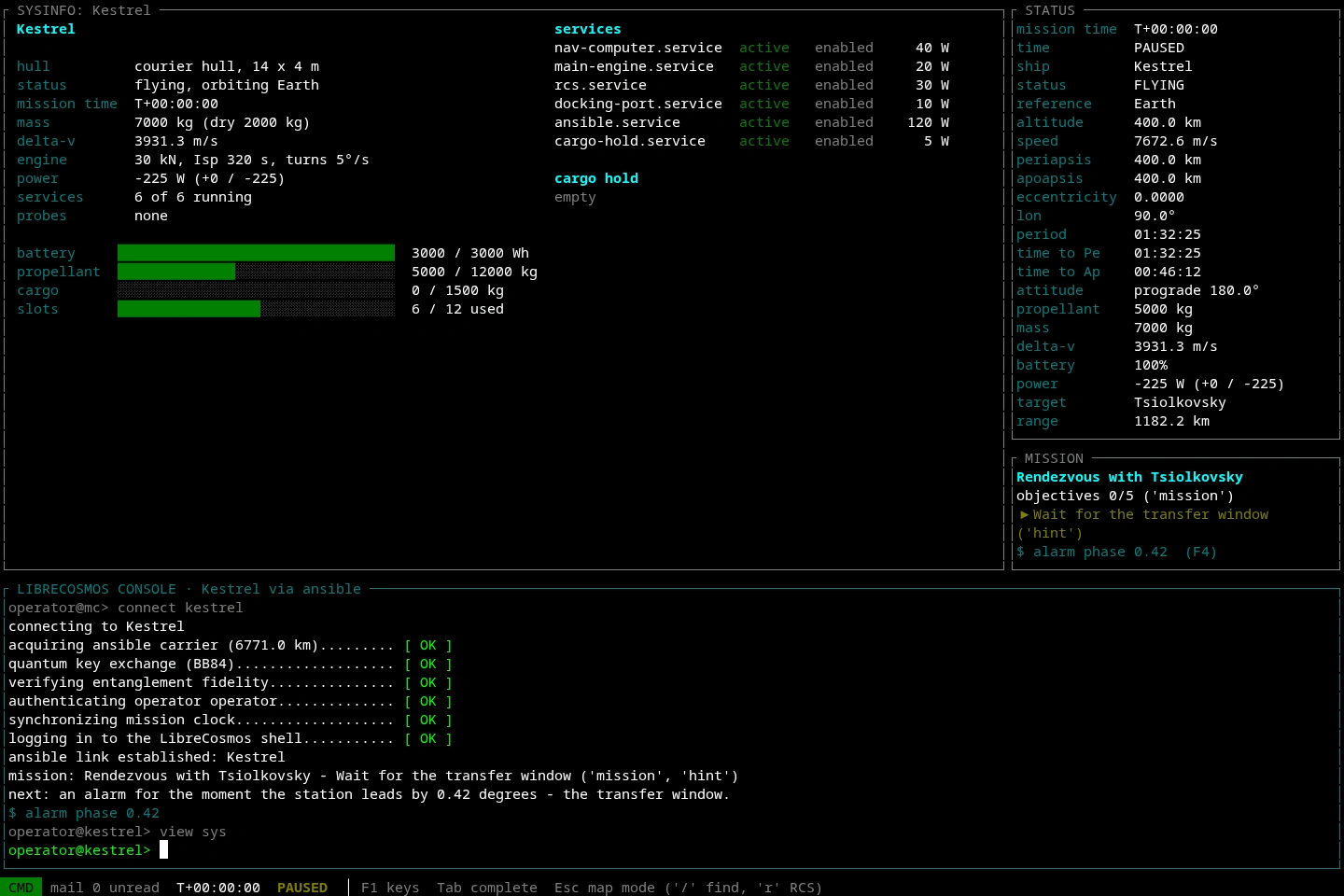
Spacecraft services and resources.
Check fuel, power, cargo and installed services from your console. Your spacecraft is a working system, with tools you can inspect and control.
◎ Graphical
Graphical mission control.
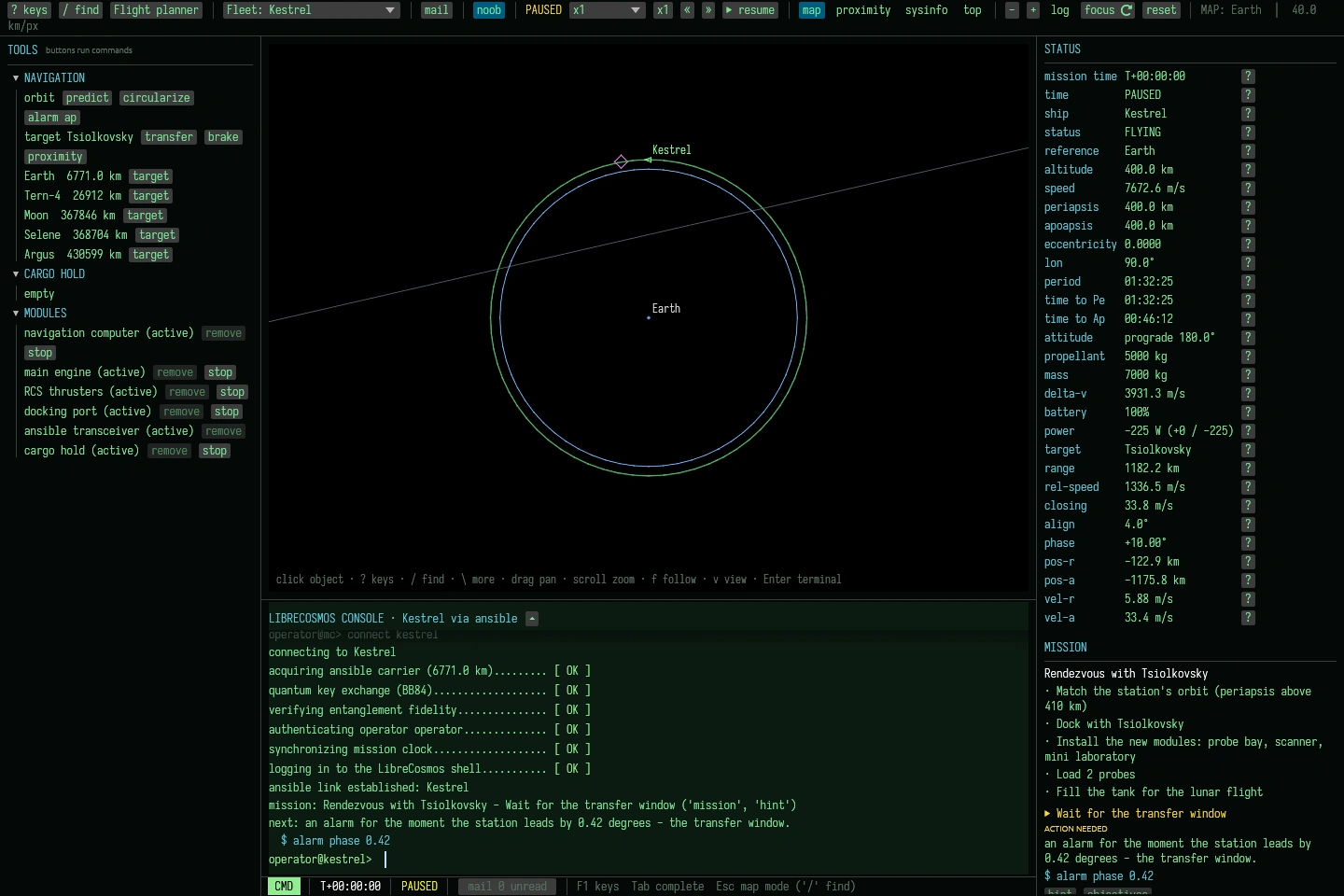
Map, telemetry and mission guidance.
The map, your mission guide and live ship status share the screen. Tool buttons show the commands they run, so each flight teaches you more.
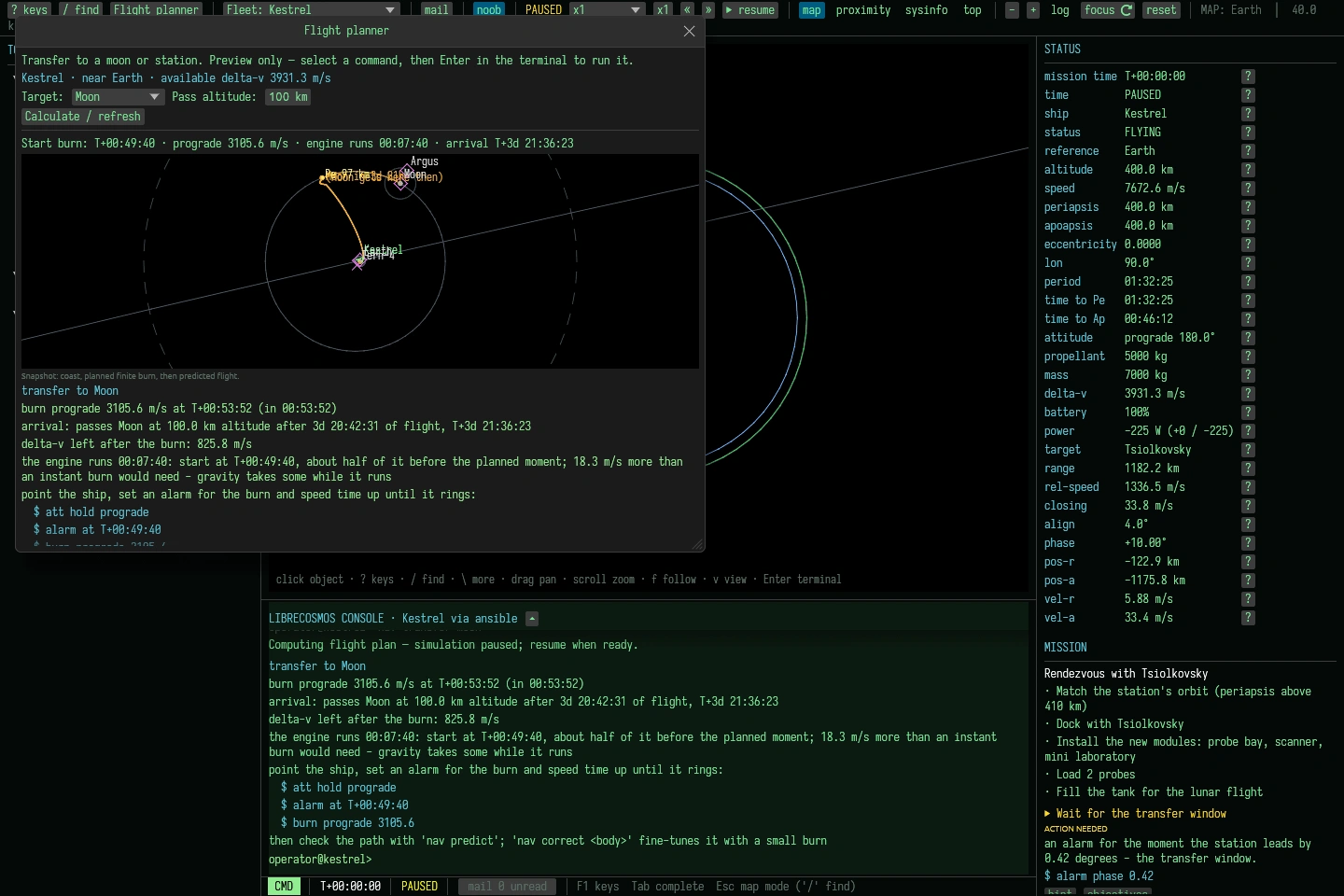
Lunar transfer planning.
Choose a destination and inspect the path, burn timing and fuel budget. The plan offers commands; you decide when to use them.
Real screenshots from a demonstration campaign in the current development build. No story spoilers; the interfaces continue to evolve.